Threshold
Threshold settings allow users to define multiple threshold values with associated colors and descriptions. This is particularly useful for metrics that have different states or levels (e.g., warning, critical, failure).
Basic Usage
import { useMMAppSetting } from '@machinemetrics/mm-react-tools';
import { Palette } from '@machinemetrics/mm-react-tools';

function MyWidget() {
  useMMAppSetting('utilization', {
    type: 'thresholds',
    fields: [
      {
        name: 'goal',
        label: 'Goal %',
        color: Palette.Green600,
        description: 'At or above this value',
      },
      {
        name: 'warning',
        label: 'Warning %',
        color: Palette.Orange500,
        description: 'Below goal but above this value',
      },
      {
        name: 'failure',
        label: 'Failure %',
        color: Palette.Red600,
        description: 'Below this value',
      },
    ],
  });
}
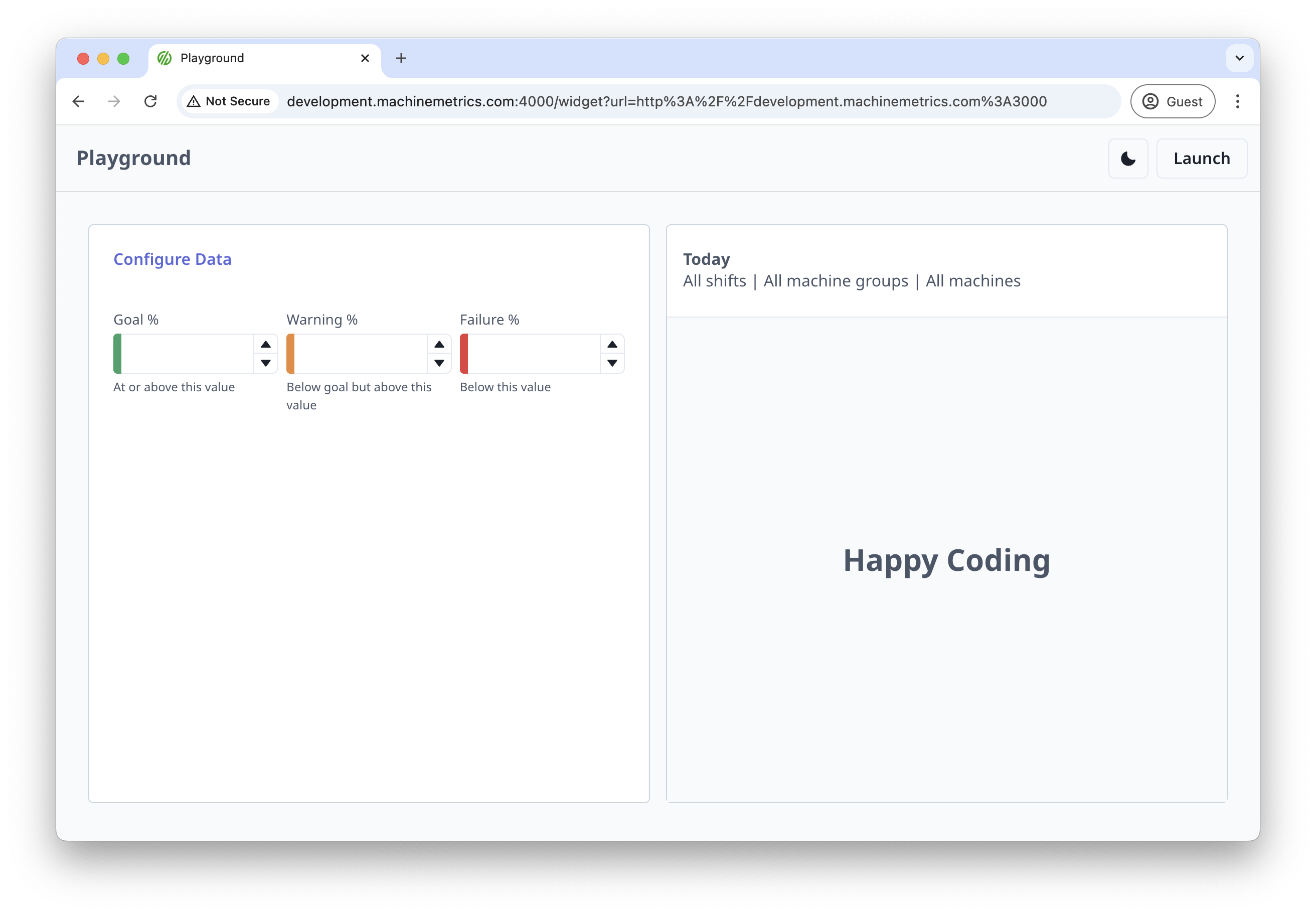
Properties
| Property | Type | Description |
|---|---|---|
type | "thresholds" | Must be set to "thresholds" |
fields | array | Array of threshold field objects |
visible | boolean | Whether the setting is visible |
Threshold Field Properties
| Property | Type | Description |
|---|---|---|
name | string | Unique identifier for the threshold |
label | string | Display label for the threshold |
color | string | Color for the threshold (using Palette) |
description | string | Description of what the threshold means |
value | number | A hardcoded value |
max | number | Maximum allowed value |
min | number | Minimum allowed value |
Examples
Basic Thresholds with Dependencies
useMMAppSetting(
  'utilization',
  {
    type: 'thresholds',
    visible: thresholdEnabled === 'custom',
    fields: [
      {
        name: 'goal',
        label: 'Goal %',
        color: Palette.Green600,
        description: `At or above ${utilization?.warning || '-'}% in-cycle`,
        value: utilization?.warning,
      },
      {
        name: 'warning',
        label: 'Warning %',
        color: Palette.Orange500,
        description: `Below ${utilization?.warning || '-'}% in-cycle`,
      },
      {
        name: 'failure',
        label: 'Failure %',
        color: Palette.Red600,
        description: `Below ${utilization?.failure || '-'}% in-cycle`,
        max: utilization?.warning,
      },
    ],
  },
  [thresholdEnabled, utilization],
);
Thresholds with Dynamic Descriptions
useMMAppSetting('quality', {
  type: 'thresholds',
  fields: [
    {
      name: 'excellent',
      label: 'Excellent',
      color: Palette.Green600,
      description: `Quality rate >= ${quality?.excellent || 0}%`,
    },
    {
      name: 'good',
      label: 'Good',
      color: Palette.Orange500,
      description: `Quality rate between ${quality?.good || 0}% and ${quality?.excellent || 0}%`,
    },
    {
      name: 'poor',
      label: 'Poor',
      color: Palette.Red600,
      description: `Quality rate < ${quality?.good || 0}%`,
    },
  ],
});